The journey of Panduan WCAG Indonesia
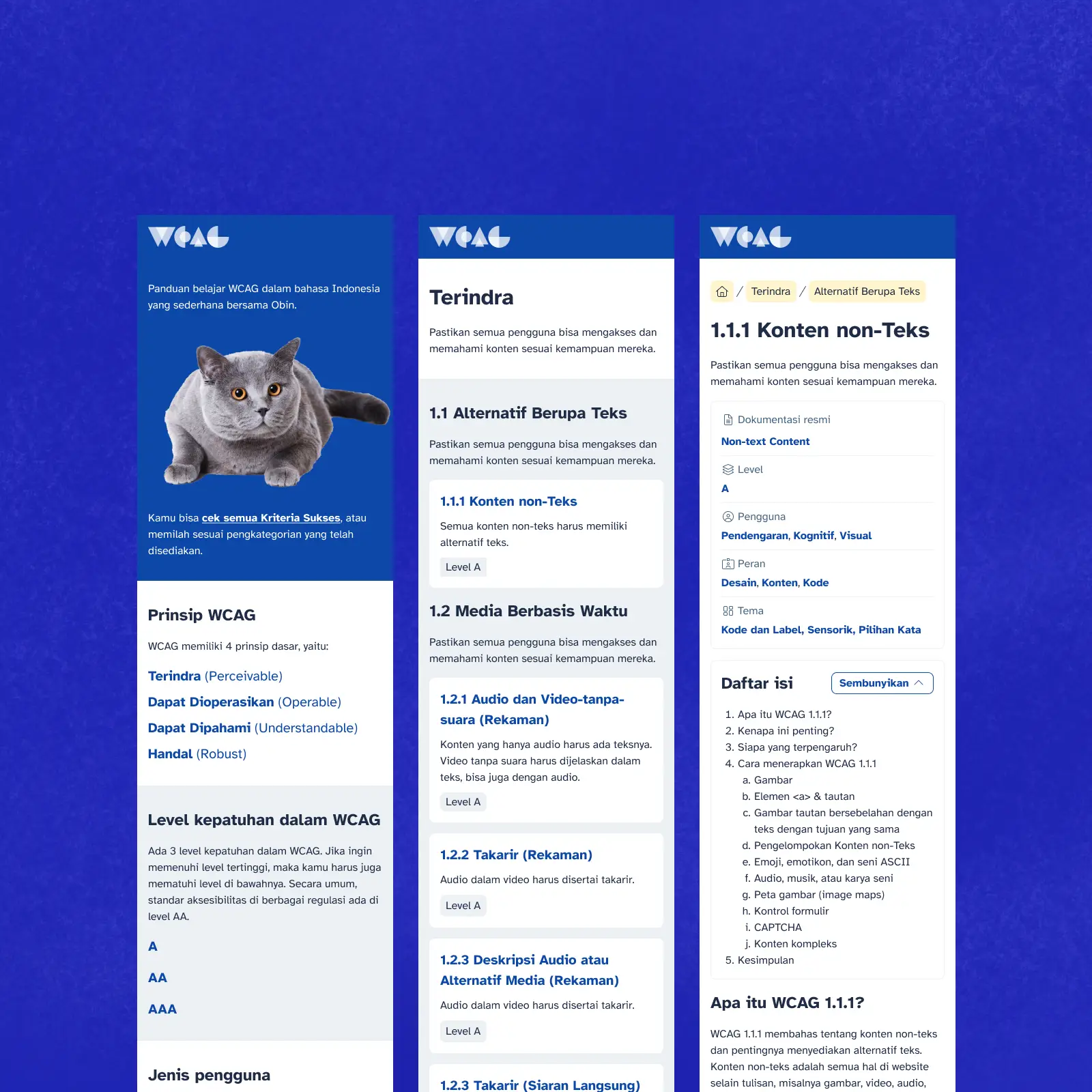
It’s been 3 months since I released the Panduan WCAG Indonesia, so I decided to write this before I forget.
As a brief explanation, WCAG is an accessibility guideline for content on the web — like web/app content, video content, audio content, and even PDFs. WCAG is already a global standard, but it’s still not widely known in Indonesia.
Background
I first encountered WCAG when I studied Accessibility: How to Design for All in 2018, and started applying some of its criteria from a visual design perspective. I also presented WCAG-related material to designers several times, one of which was in a session with Suarise in 2020.
However, I wasn’t very familiar with other perspectives, and this became clear when I took the CPACC certification exam in early April 2025. I found it difficult to answer when exactly I should use the alt attribute. This is actually the very first criterion in WCAG. I felt frustrated and even thought I failed, though I eventually passed. I tried to analyze why I struggled, and I’m sure it was because I didn’t fully understand the meaning behind each criterion.
Getting Inspired
One day while browsing in mid-April 2025, I found WCAG in Plain English. “Wow, what a coincidence,” I thought. “I want to create something like this too!”
Diving Deeper into WCAG in Plain English
I studied the structure of WCAG in Plain English. They break down each WCAG Criterion explanation into several parts:
- A brief overview of the Criterion,
- Why this Criterion matters,
- Who it is important for, and
- How to implement it.
This structure is consistently applied throughout their explanations.
I also found that each Criterion is categorized in various ways. This categorization is done organically by practitioners, such as how to test it (whole website or just text), who is affected (e.g., visual disabilities), and who is responsible for implementation (e.g., designers and developers).
WCAG in Plain English summarizes all these categorizations on their website.
Doodling
I started by directly "drawing" in Figma. At least to get an idea of the information architecture structure, and also for visual exploration. I only designed 3 pages which I felt were enough to set the overall direction of the visual style moving forward.
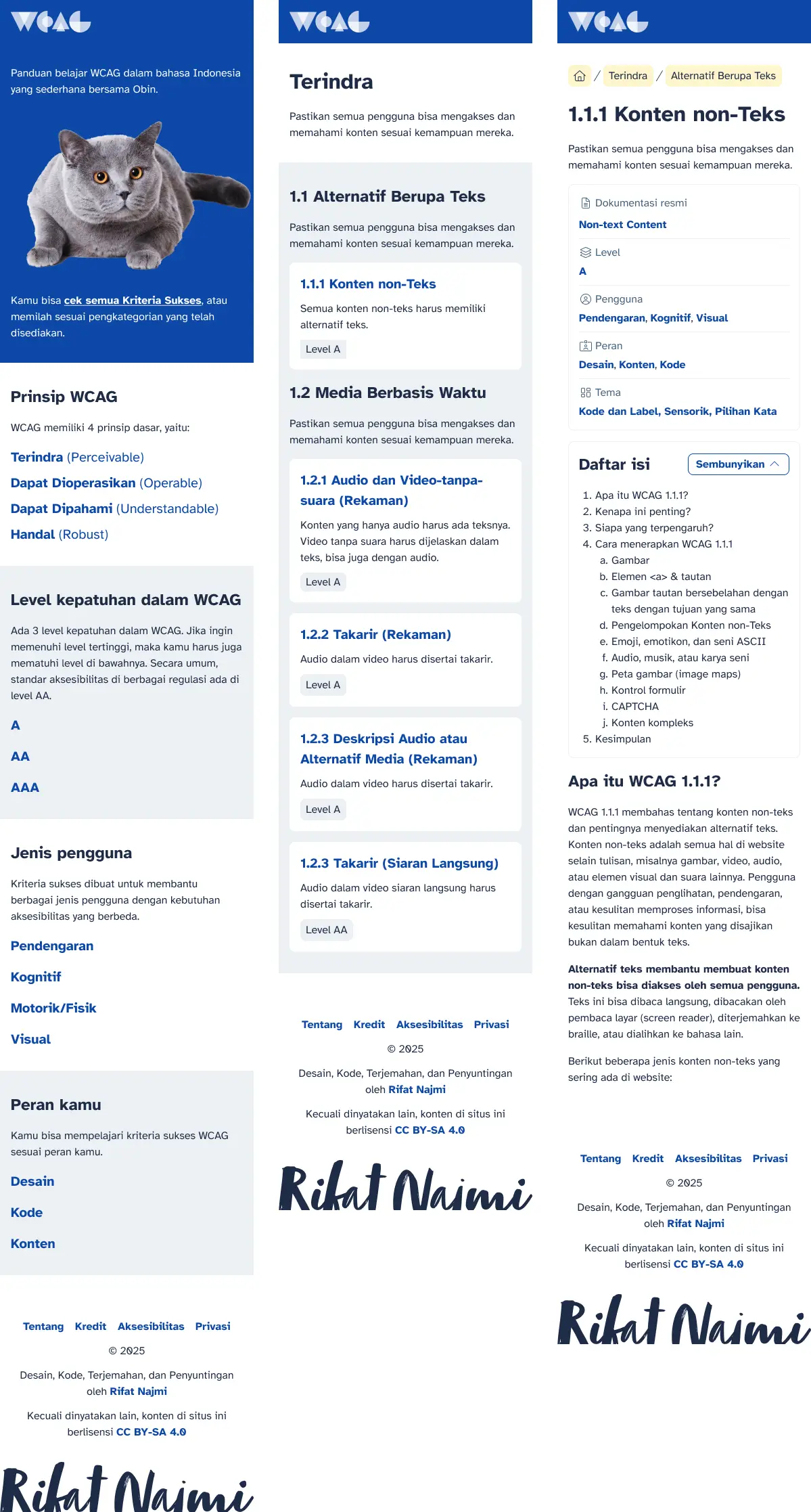
For the Home page, I wanted to include the face of Obin, my cat, to welcome users. Why a cat? Well, of course, because (almost) everyone loves cats. I wanted to create the impression that serious topics don’t have to be presented too seriously.
Then I divided each Criterion according to the WCAG documentation:
- Principles consisting of Perceivable, Operable, Understandable, and Robust.
- Each Principle has Guidelines.
- Each Guideline has Criteria.
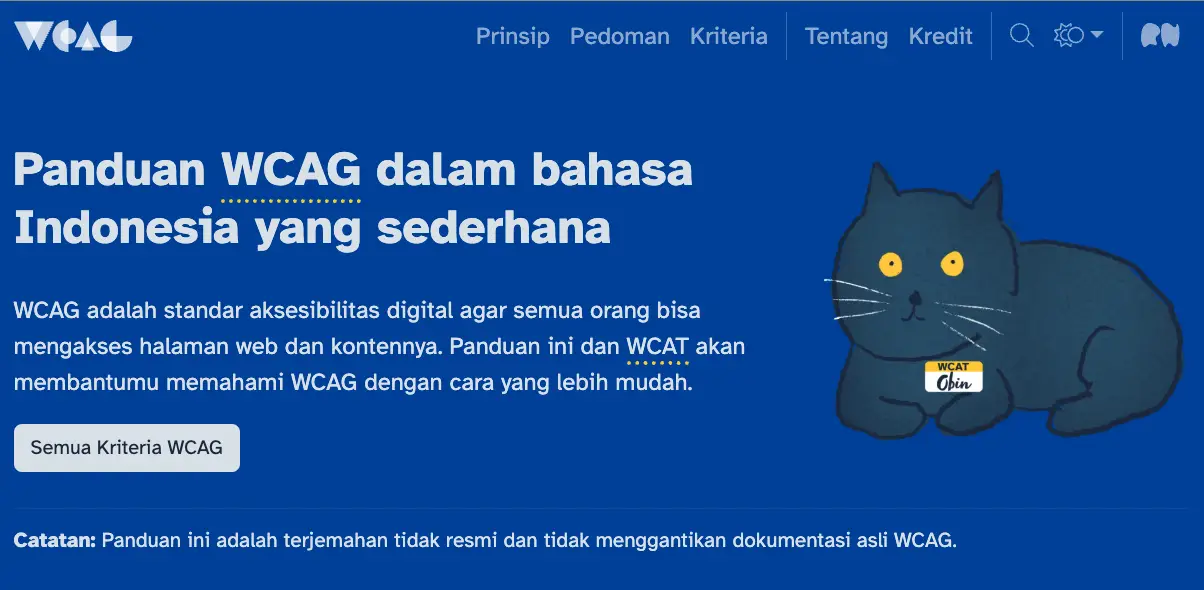
This structure is quite rigid and I also applied it to the navigation. Principles, Guidelines, and Criteria became the main navigation to explore the guide. I was quite conservative at that time and expected users to follow this navigation flow. But I also allowed users the freedom to explore according to Categories:
- Compliance level (A, AA, AAA),
- WCAG testing themes,
- Affected user groups, and
- Roles responsible for implementation.
Prototyping on localhost
The drawing process in Figma was brief because I only needed 6 templates: Home, Principles, Guidelines, Criteria, Categories, and a generic page; all without complex interactions. I immediately switched to the code editor. Coincidentally, I had just been playing with Grav for my personal site, so I decided to use that framework.
I worked on several tasks in parallel.
Translating content from WCAG in Plain English
I used ChatGPT to help with the initial translation following a set of rules to meet, such as language style, terminology, sentence length, and so on.
Then, I edited the content again until I felt confident about it.
Preparing images
Because WCAG in Plain English uses the CC BY-SA 4.0 license for its content, I decided to use their illustrations with the hope of replacing them with my own work in the future.
Creating static pages and Grav templates
I created static HTML pages and inserted some content. After I was satisfied, I started building Grav templates.
Once the Grav templates were done, I started experimenting within them. While trying things out, the categorization turned out to be exclusive (OR). Meaning, if I want to see criteria related to Keyboard and also under the Designer’s responsibility, I can only select Keyboard or Designer category, not both together (AND).
Adding filters
Then, I added filters so users could sort Criteria relevant to their needs at the moment. This part took quite a while because I was using a static website and didn’t want to be burdened with backend processes. So, all filtering had to happen on the frontend. This made me learn about aria-live.
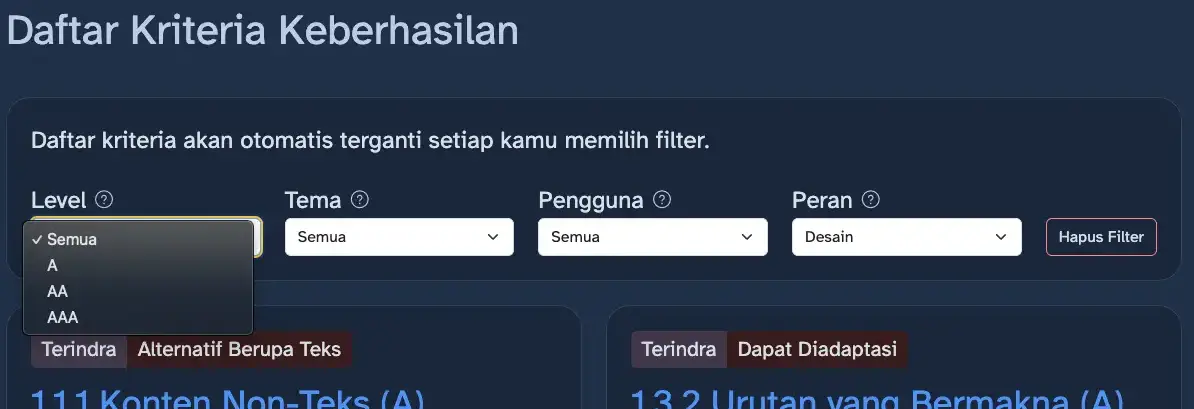
Also, since filtering happens instantly, users might not notice changes. So I added CSS animations to indicate the update. This animation also led me to study WCAG 2.3.1 about flashes, and I had to find the right formula so it wouldn’t disturb users: too fast could risk seizures if users repeatedly click, too slow would be annoying.
Testing (aka promotion)
By chance, I was a speaker and judge at the first Accessibility Design Challenge (ADC) organized by the A11yID community. So, when delivering a session on Figma Annotation, I tried to promote the beta version of Panduan WCAG Indonesia.
I also announced it on Twitter to gather feedback from users. At least, I could see some analytics data.
Unfortunately, there were no interesting insights from this testing, so it ended up just being promotion.
Intermezzo
If reading this feels long, actually it wasn’t. From the moment I opened Figma (April 20) until I announced it on Twitter (April 29), everything happened within 9 days. I spent at least 2 hours after work and up to 8 hours on weekends working on this.
I did all this because I was ambitious to pass the CPACC exam in the next session. At that time, I still felt I hadn’t passed, and the results would only be announced at the end of May 2025.
Accelerating the release date
Originally, I didn’t have a fixed release date, but when I remembered GAAD (Global Accessibility Awareness Day) falls on the third Thursday of May, I decided to aim for release on that date.
What can I do to make my project stand out from other WCAG projects, even though mine is the first and only one in Indonesia, so that I feel it’s worthy to be released?
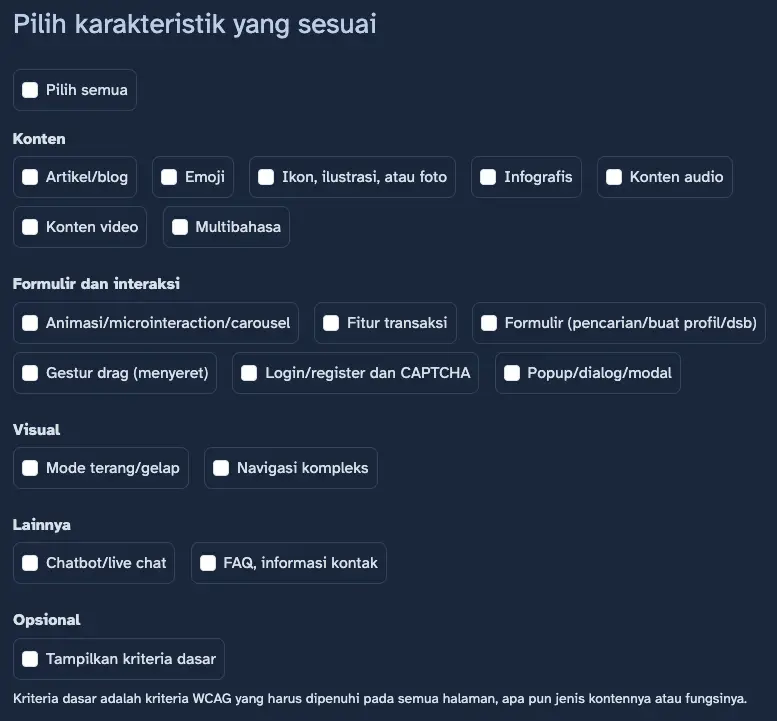
Adding the Simulation feature
While serving as a speaker and judge at ADC, I noticed participants struggled to understand the WCAG concept. Some thought that to meet WCAG level AA, they had to include all 55 Criteria at levels A and AA in their project. But WCAG is contextual. If a Criterion is not relevant, it doesn’t need to be included in the content.
This made me realize: How might I help people understand which WCAG criteria are relevant to their pages, screens, or content?
From this problem statement, I immediately found the answer: the need for a way to simulate WCAG Criteria based on the characteristics of the existing content.
The challenge in creating this feature was the lack of data I had. I tried Googling and consulting AI but couldn’t find suitable references. So I turned to my own experience building various websites and apps, including this Panduan WCAG Indonesia site.
I wrote down various patterns I had worked on, such as hero areas, multilingual setups, sliders, etc. Then I reread the WCAG Criteria I had translated. Finally, I "matched" those patterns with the relevant criteria.
Adding the Favorites feature
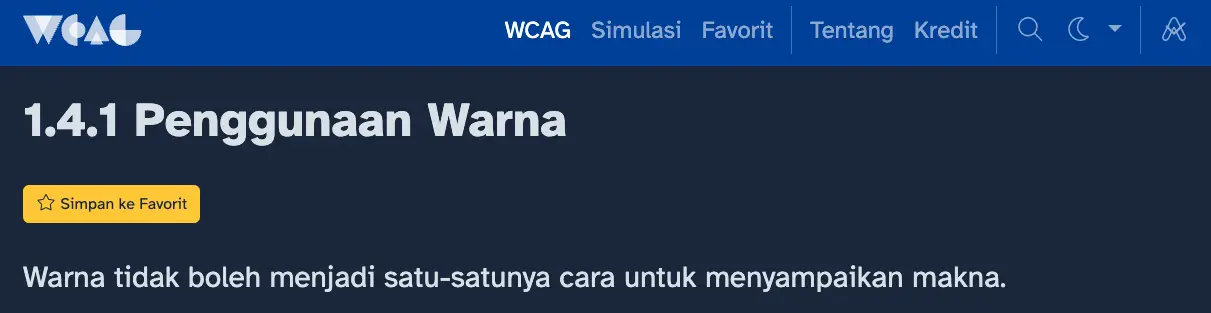
With the Simulation feature, users can focus on a subset of criteria relevant to their current project. I tested this feature many times but eventually found it hard to remember which criteria I needed to focus on. Running the Simulation again wasn’t always a solution because I might forget the characteristics I selected.
So, I decided to add a Favorites feature. I was initially confused about how to store the Favorites data. I didn’t want to store it on the server because that would mean overhauling my entire stack. Also, I didn’t want to implement registration/login, which means storing personal data. Then I remembered that my dark mode feature stored user preferences in localStorage, so I discussed with ChatGPT how to implement this.
Adding Notes and PDF export features
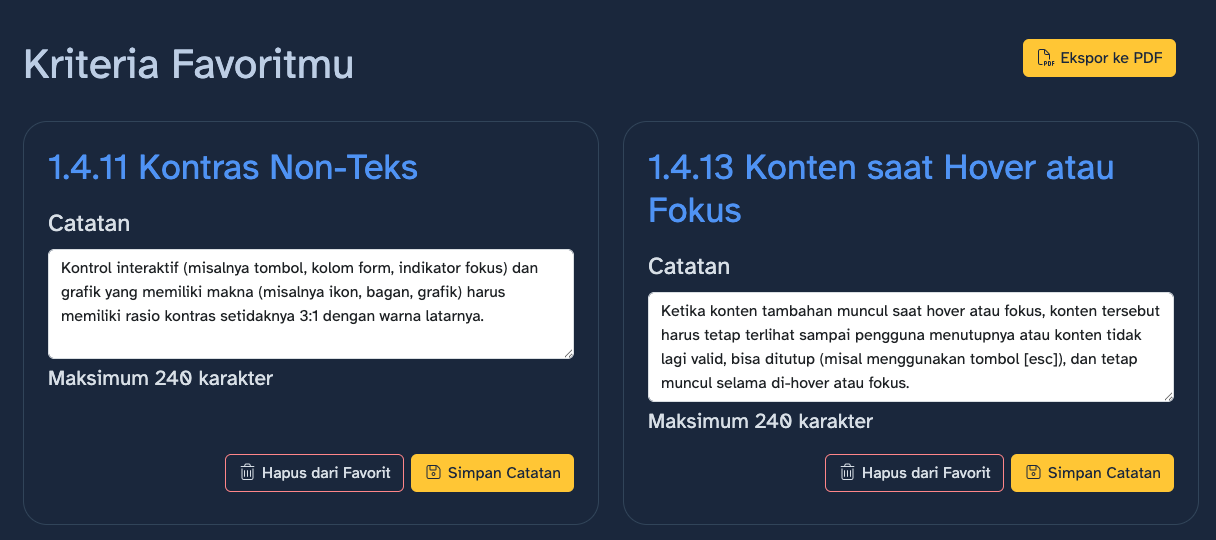
Favorites button was there, but how to display the data? Just Favorites felt too empty. Without much thought, I added Notes.
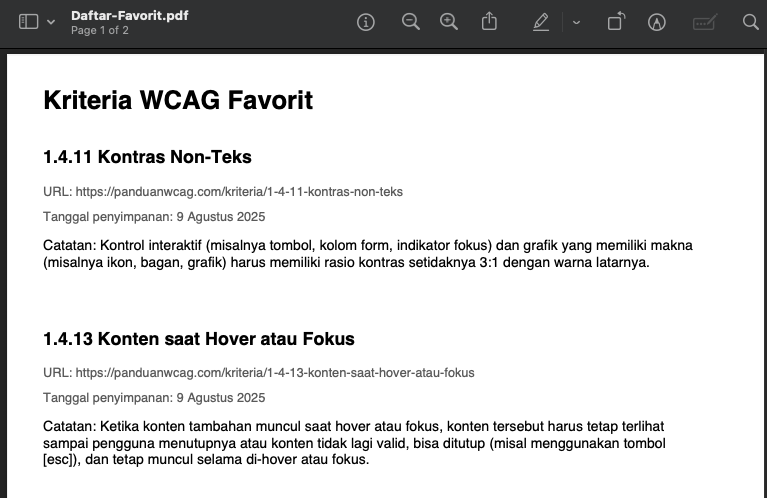
Then another question arose: what next? What if users switch devices? Initially, I thought about letting users export to JSON/XML, but that would complicate things because I’d have to prepare an import feature so users could load their JSON/XML data. So I decided to only allow static PDF export.
Release
May 15, 2025 arrived. I had already promoted the release on the GAAD 2025 website and IAAP. Unfortunately, testing for all the new features wasn’t complete yet — only the Simulation feature worked fully. I decided to release it with just the Simulation added.
I also revamped the navigation after reviewing analytics data. Very few users opened Principles and Guidelines; besides, both aren’t that relevant long-term: is it better to understand the WCAG structure or to understand how to apply the Criteria? I conceded and prioritized the Simulation feature and WCAG Criteria as the main navigation for users to access the site. Principles and Guidelines remained, but only as supplementary, like breadcrumb navigation.
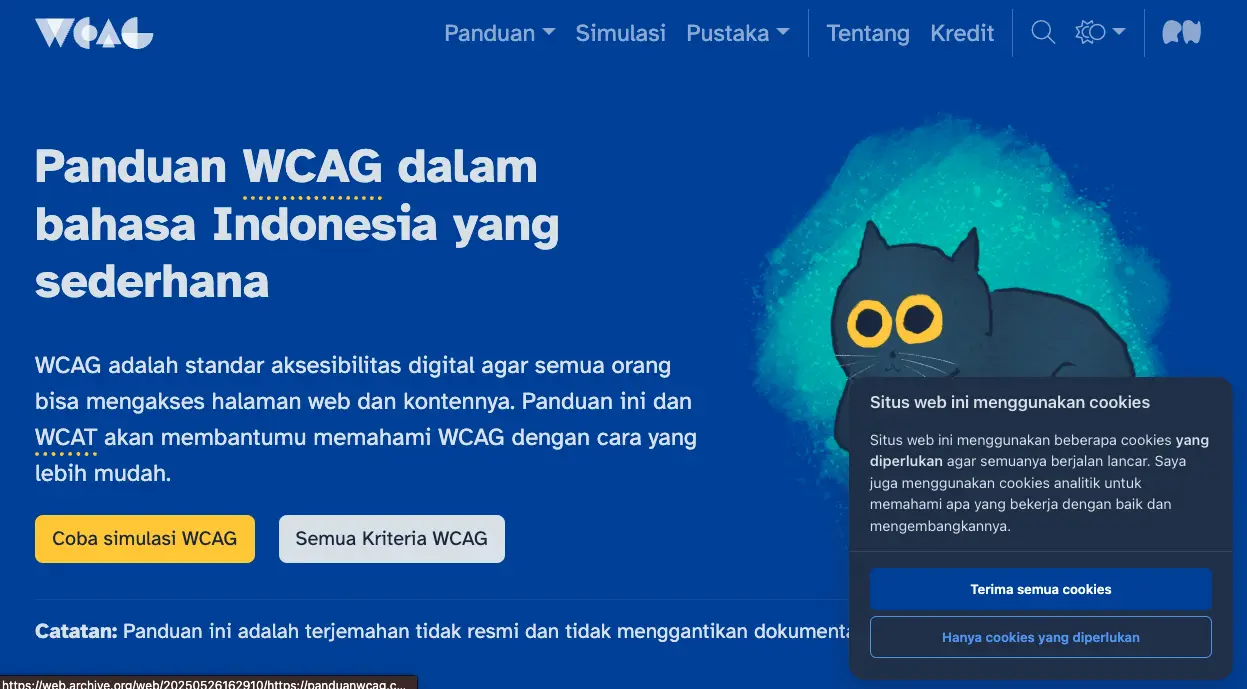
Actually, the release was only posts on Instagram, LinkedIn, and Twitter, nothing else — but Rahma asked me to explain it briefly during the ADC 2025 finals, which coincided with GAAD events.
Further development
The Favorites and Notes features were finally launched on May 19, 2025.
Adding the TL;DR feature
I had the opportunity to help localize the WCAG 2.2 Card Deck into Indonesian together with Ocal. The Indonesian version was released on July 14, 2025.
When I reviewed the Panduan WCAG Indonesia site again, I felt the need to add a brief explanation of the Criterion currently viewed by the user. So I reused the content that Ocal and I created for the WCAG 2.2 Card Deck as a TL;DR feature.
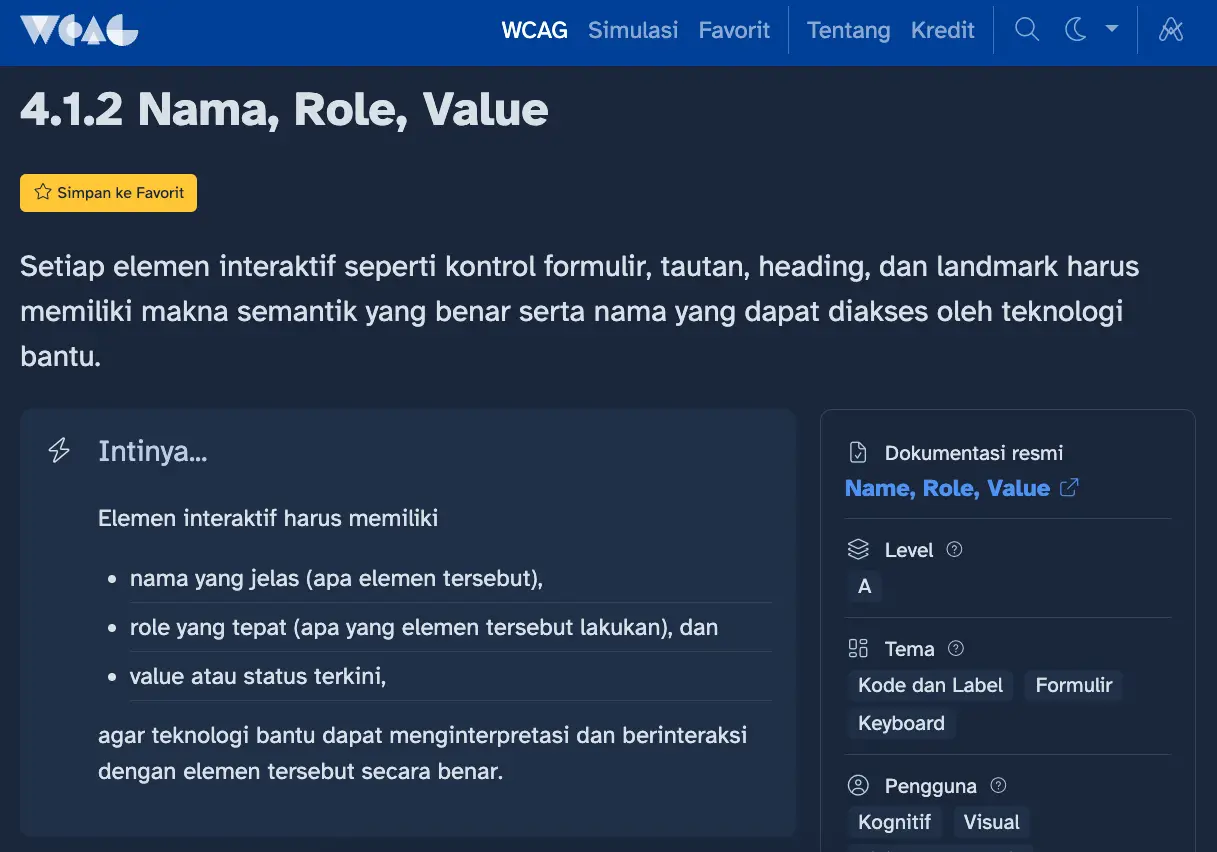
Collecting user reviews
I also placed a banner on every page to request reviews from users. Although the data I received is still limited, the general trend is clear: the need for local context and guidance on implementing WCAG in mobile apps.
Improving analytics data source
Initially, I used Google Analytics (GA) for all data. Unfortunately, GA uses cookie-based tracking that required me to ask for user consent. I estimate only about 10% of users gave consent based on comparisons with Grav’s built-in stats and Cloudflare.
After searching around, I found Umami which does not use cookies. I was able to remove the consent banner from my website and collect data more comprehensively.
Reflection and future plans
Learning in an engaging way
Although I eventually passed the CPACC certification, the experience of creating Panduan WCAG Indonesia was truly valuable. This process forced me to really understand each criterion, put it into practice, and test it directly.
It turns out that learning this way made me better understand what WCAG really is.
User response
My decision to prioritize the Simulation feature proved beneficial based on data from GA and Umami: Most users use this feature rather than reading the Criteria one by one. The Favorites and Notes features are less popular, but once someone uses them, they tend to keep using them regularly. In fact, some users use the Favorites and Notes features every day.
From the Google Form survey I shared, most respondents were students. At least I have provided the right learning resource for them to apply in their future work.
Future plans
I am currently developing Aksesibel. In my opinion, Panduan WCAG Indonesia will only be useful if people develop awareness of the importance of accessibility. Aksesibel exists to help foster that awareness.
There are already several contributors interested in helping create content for Aksesibel. If you’re interested, DM me on Instagram!